Barcode Scanner RFQ Checklist & Template
A useful barcode scanner RFQ connects the scanning task with the host system, required kit, quantities and delivery scope. Use this checklist to request proposals that can be compared on the same basis.
Download the editable template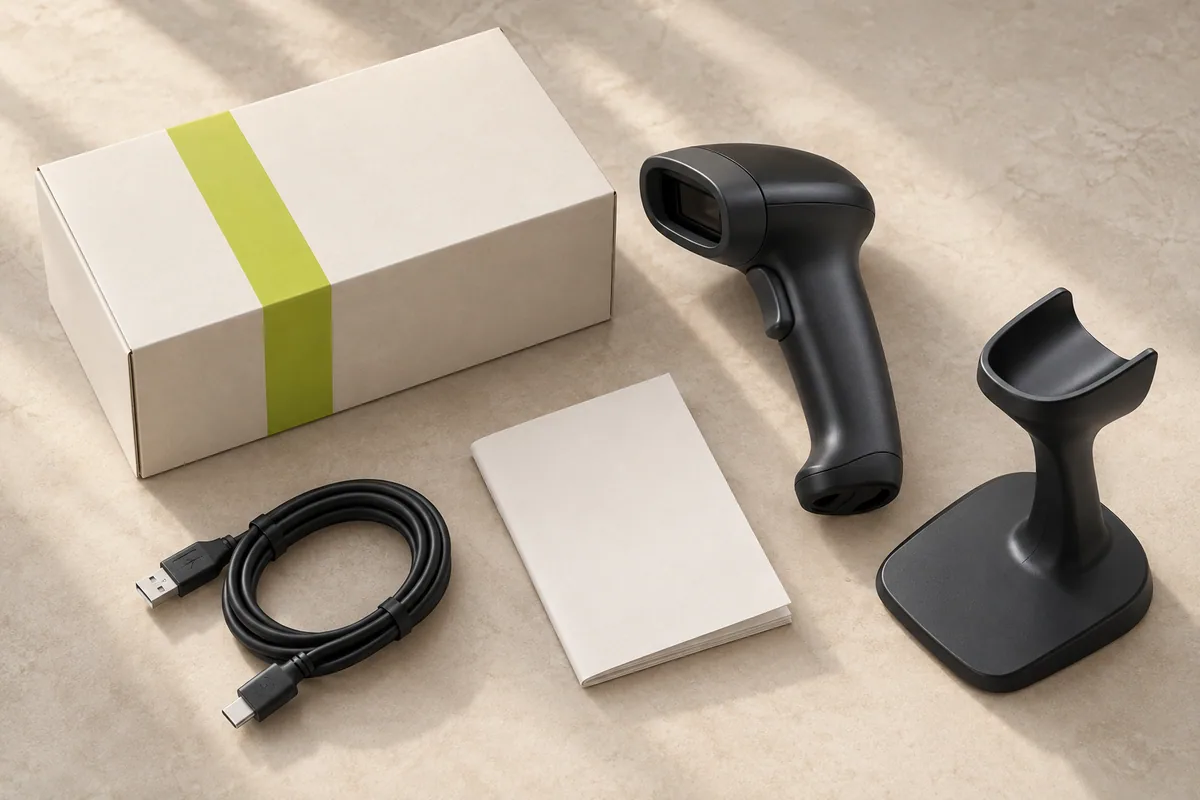
What should a barcode scanner RFQ include?
Start with the application and the system receiving the data. Then define the purchasing scope: samples, volume quantity, accessories, branding, documentation and destination. A request for “100 scanners” leaves too many configuration and cost decisions unresolved.
This template works for wired 2D handheld, wireless 2D and desktop presentation sourcing briefs. The final model follows the requirements rather than the template.
1. Prepare the eight-part purchasing brief.
| Requirement | What to specify | Practical detail |
|---|---|---|
| Application | Where will the device be used, who handles it and what is scanned? | Fixed retail counter; receiving desk; shelf-to-shelf stock counting. |
| Barcode examples | Identify printed labels, phone screens, code types and difficult surfaces. | Provide representative examples and explain which are business-critical. |
| Host & software | Name the actual terminal or tablet, operating system and application. | Include the required input behavior and a sample of the desired output. |
| Connection | State the requested mode without assuming every model supports it. | USB HID, virtual COM, RS232, Bluetooth or a dedicated receiver requirement. |
| Quantity & rollout | Separate evaluation quantity, first bulk quantity and repeat forecast. | Mark an estimate as an estimate; do not imply a committed annual order. |
| Kit contents | List cable, stand, receiver, charger, adapter and setup material as needed. | Ask the supplier to identify every included and separately priced item. |
| Brand & documents | Describe logo, packaging, manual language and destination requirements. | Ask for model-specific documents and the available customization scope. |
| Destination & timing | Give the delivery country, relevant postcode, target date and delivery basis. | Separate product lead time, dispatch, transport and customs responsibilities. |
The examples describe information to request. They are not specifications or capabilities of a particular SCANVORA product.
2. Ask for an itemized response.
- Product identification: exact model, proposed configuration, relevant datasheet and stated exceptions to your requirements.
- Sample terms: availability, unit and accessory costs, dispatch estimate, shipping basis and any conditions for sample approval.
- Bulk pricing: quantity basis, included kit, optional items, quote currency and validity. Keep different configurations separate.
- Customization: available scope, artwork requirements, setup charges, minimum quantities and effect on timing.
- Order and support: payment terms, production or supply timing, inspection scope, warranty terms and defect-handling process.
- Delivery: agreed delivery basis and responsibility for freight, taxes, customs and destination documents.
When two suppliers quote different kits, ask for the missing items to be identified before comparing unit prices. A lower scanner-only price and a complete installation kit are different purchasing scopes.
3. Copy a short enquiry email.
Replace every bracketed field. Delete requirements you do not need, and describe any unresolved item as a question.
Subject: Barcode scanner sourcing enquiry - [application] - [quantity]

Hello SCANVORA,

We are sourcing [wired / wireless / desktop] barcode scanners for [application].

Host and software: [device, operating system, application]
Barcode requirements: [printed labels / phone screens, examples and conditions]
Requested connection: [mode or help choosing]
Sample quantity: [quantity]
Initial bulk quantity: [quantity or estimate]
Required kit: [cable, stand, receiver, charging and other items]
Branding and packaging: [requirements or standard supply]
Destination and target date: [country, postcode, date]
Documents needed: [requirements to review for the proposed model]

Please propose a suitable configuration and itemize sample terms, kit contents,
volume pricing, lead time, warranty process and delivery basis.
Please identify any requirement that the proposed model does not meet.

Company: [company]
Name: [name]
Contact: [work email]
Download the full RFQ text template ↗
4. Review the proposal before sample approval.
Compare the written response against each requirement. Mark unresolved points and agree which sample tests will answer them. Record the approved model, interface, settings and accessory list so later bulk pricing refers to the same configuration.
Use the sample testing checklist to turn open questions into observable tests. Keep an agreed configuration record for future reorders instead of relying on a generic category name.
Does a completed RFQ confirm availability or compatibility?
No. It documents what you need and what the supplier is being asked to propose. Availability, performance, supported interfaces, destination documentation and commercial terms still require model-specific confirmation. SCANVORA coordinates sourcing discussions as a trading brand; the checklist is not a manufacturer’s product datasheet.
Turn your checklist into a sourcing enquiry.
Share the application, quantity and destination. We coordinate requirements with manufacturing partners and confirm the proposed model, kit and commercial terms before approval.
Discuss your sourcing brief